Blog

Ideas, insights & answers for the future of eCommerce

The Zerna blog is a space for founders, managers, and curious minds in eCommerce.
Not sponsored, not biased — just honest lessons, experiments, and tools that create real value.

  • Your Website Is a Broken Car. Stop Paying for Premium Fuel

    Your Website Is a Broken Car. Stop Paying for Premium Fuel

    How a seasonal ecommerce store spent 39% more on ads, got 5% fewer sales — and what Google Analytics revealed about where the money actually went.

    You know that friend who owns a 2003 sedan with a cracked exhaust, bald tires, and a check engine light that’s been on since 2019? Every month there’s a new repair. New alternator. New brakes. Coolant leak. They keep pouring money in because “it still runs.”And every time you suggest selling it, they say: “But I’ve already spent so much on it.

    “That’s what running paid ads to an unprepared website looks like.

    You’re not investing in growth. You’re subsidizing a broken system — and every dollar you spend on traffic makes the loss bigger.

    This is a story about a seasonal ecommerce store that learned this the hard way. A store that spent $52,000+ on advertising in one season, drove 119,000 sessions to its website from Meta Ads — and got back just 1% of its revenue from that traffic.

    The average time on site? 6.7 seconds. Not minutes. Seconds.

    The store didn’t have a traffic problem. It had a preparation problem. And the data was screaming about it — but nobody was reading the right report.

    The Illusion of Growth

    On paper, the season looked busy. Ad spend was up 39%. Inquiries nearly tripled compared to the previous year. The Meta Ads dashboard showed millions of impressions and tens of thousands of conversations started. The media buyer was scaling. The numbers were moving.

    But sales? Down 5%. And EBITDA — the actual profit left over after costs — came in at just 43% of the plan.

    How do you spend significantly more and earn significantly less? The answer was hiding in Google Analytics, in a report most people glance at but never truly interrogate: Traffic Acquisition.
    The Traffic Report Nobody Read Properly

    Here’s what the data actually said.

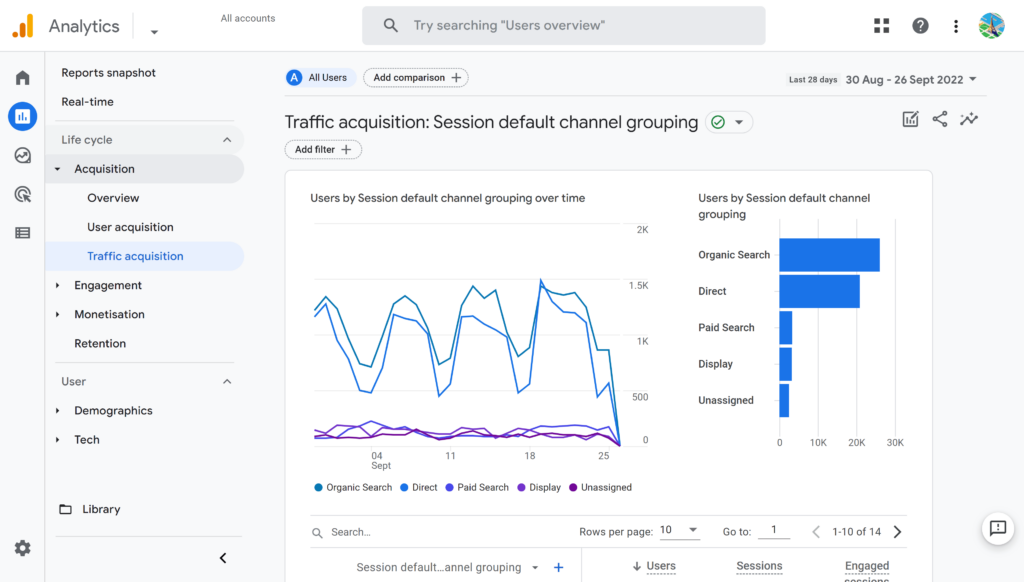
    In the peak month of December, the website received roughly 121,000 sessions. Sounds great, right? But 102,000 of those — 84% — came from Paid Social (Meta Ads). Those 102,000 sessions generated just 1.6% of the site’s total revenue. The average session duration was 6.7 seconds.

    Meanwhile, Organic Search — a channel that contributed just 1,091 sessions — generated 9.8% of revenue with a 33% conversion rate and an average revenue per session of ~$1.60. That’s a 416x difference in revenue efficiency compared to paid traffic.

    Organic Social (unpaid Instagram posts and stories) brought 13,800 sessions and delivered 65% of the site’s revenue, converting at nearly 18%.

    The website itself was working. Excluding the junk traffic from paid ads, the site’s real conversion rate in December was 18.28% — an excellent number by any ecommerce standard. The checkout flow worked fine. The product pages converted well. The problem wasn’t the car. It was the fuel.
    Three Mistakes That Made the Numbers Lie

    Mistake #1: Treating all traffic as equal

    When you look at a Google Analytics overview, you see “Users” and “Sessions” as aggregate numbers. And when those numbers go up, it feels like progress. But a session that lasts 6 seconds and bounces from the homepage is not the same as a session where someone browses three product pages and adds to cart. Aggregated metrics masked a brutal truth: three-quarters of all traffic was essentially phantom visitors — people who were served an ad inside the Meta in-app browser, landed on the homepage, and left before the page even fully loaded.

    Mistake #2: Sending 74% of all site traffic to a page that wasn’t built to convert

    Here’s the thing that makes this story painful, not tragic: the paid traffic wasn’t inherently useless. The tiny handful of campaigns that sent visitors to product pages or the catalog converted at 16–19% — perfectly in line with organic channels. The ads could work. The audiences weren’t wrong.

    But those campaigns were the exception. The vast majority of paid traffic — 94% of all Meta Ads sessions — landed on the homepage. And the homepage converted at just 2.97%. That’s a 6.5x gap. The homepage was designed for brand storytelling and seasonal mood-setting, not for catching a cold visitor from an ad and turning them into a buyer within seconds. There was no clear path to the catalog. No immediate product visibility. No reason for someone who just tapped an ad to stay.

    So 74% of the entire site’s traffic during peak season — over 100,000 sessions — hit a page that functionally acted as a dead end for paid visitors.

    Browser data told the same story from a different angle: 67% of site users came through Android WebView (Meta’s in-app browser on Android) and contributed just 8.9% of revenue. Meanwhile, Safari users — largely organic Instagram visitors and direct traffic on iPhones — made up 17% of users but drove 66% of revenue.

    Mistake #3: Scaling without a feedback loop

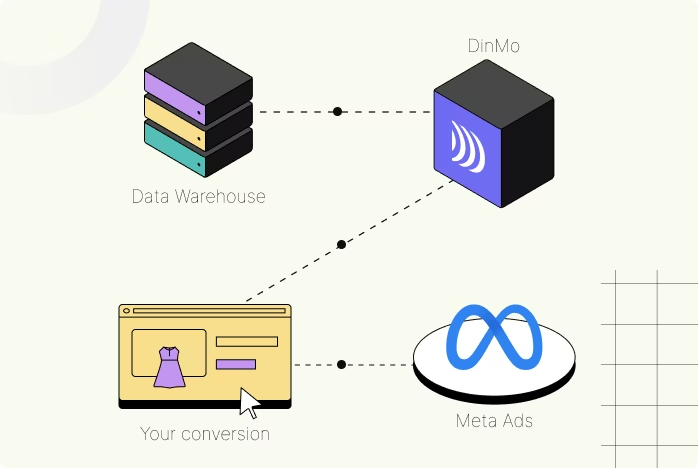
    The store’s Meta Conversion API (CAPI) — the server-side tracking that tells Meta which ad clicks actually led to purchases — had disconnected at some point during the season. Less than 1% of purchase data was being sent back to Meta. This meant the ad platform had almost no signal about what was working. It was optimizing in the dark. At the same time, 16 new ad creatives were launched in December (the peak month), when the proven strategy should have been to scale what already worked, not to experiment. The result: average cost per lead on new creatives was $1.86 vs. $0.99 on the best-performing (but under-funded) Instagram Post format.
    The Real Cost of “Let’s Just Drive More Traffic”

    The Meta Ads traffic to the website cost roughly $9,100. It generated roughly $275 in revenue. After accounting for ad costs and margins, this channel produced a net loss of approximately $8,800.

    That’s not a rounding error. That’s a full campaign budget, lit on fire, because the destination — the website — wasn’t prepared to receive that traffic in a way that could convert.

    Meanwhile, ad spend as a percentage of revenue ballooned to 29% in December against a planned 18%. The extra spend didn’t buy growth. It bought noise.

    What Should Have Happened Instead

    The fix wasn’t complicated. It was sequential. The store needed to prepare the infrastructure before turning on the traffic hose:

    Before the season: set up server-side tracking (CAPI) so Meta could actually learn which clicks convert. Build a GA4 dashboard that separates paid from organic performance. Prepare the homepage for ad traffic — or, better yet, build dedicated landing flows that send paid visitors straight to catalog or product pages where they can act. The data proved those pages convert. The homepage didn’t.

    During early season: run creative tests in October–November when stakes are lower. Identify the top 2–3 performers. Cut everything else.

    During peak: scale only proven creatives. Protect the best-performing ad formats from budget cuts. Monitor cost per lead daily with a hard ceiling. If a campaign crosses the threshold — turn it off, don’t hope it recovers.

    The whole time: make sure someone is reading the right analytics report. Not just the Meta dashboard (which shows what Meta wants you to see), but the GA4 Traffic Acquisition report that shows what actually happens after the click.

    The Takeaway for Every Seasonal Business

    If your business depends on a 2–4 month sales window — whether you sell Christmas trees, outdoor furniture, school supplies, or winter coats — the temptation is always the same: spend more on ads when peak season arrives, because there’s no time to waste.

    But spending more on traffic to a site that isn’t ready to convert is like revving a broken engine harder. You burn fuel faster, the engine overheats, and you end up on the side of the road wondering what happened.

    The site is the engine. Ads are the fuel. Fix the engine first.

    That means your analytics need to be working before the first ad dollar is spent. Your landing pages need to be tested and ready before you scale. Your tracking infrastructure — CAPI, UTM tags, GA4 goals — needs to be verified before you trust the data enough to make budget decisions on it.

    The store in this case study didn’t have a bad product. The margins were healthy. The checkout worked. Organic traffic converted beautifully. The site was a good car — it just needed new tires, a working dashboard, and someone to stop filling it with the wrong fuel.

    The season was a lesson, not a failure. And if you recognize any of this in your own business, it might be the most valuable one you’ll read this year.

    This post is based on a real ecommerce audit conducted by Zerna Tech in early 2026. Some figures have been rounded for readability. If your seasonal business is approaching its peak and you’re not sure whether your site is ready for the traffic you’re about to buy — that’s exactly the kind of problem we help solve.


  • The 5 Deadly Checkout Sins That Are Killing Your Sales (And How to Fix Them)

    The 5 Deadly Checkout Sins That Are Killing Your Sales (And How to Fix Them)

    If you landed here after watching our video — welcome! You’re in the right place. Let’s dive deeper into each checkout sin and give you actionable fixes you can implement today.

    Some sins are forgivable. Forgetting a birthday? Eh, it happens. Double-dipping chips at a party? Questionable, but survivable.

    But these checkout sins? They’re silently murdering your conversions — slowly, painfully, and expensively.

    Here’s the brutal truth: the average cart abandonment rate sits at 70.19% according to Baymard Institute’s 2024 research. That means 7 out of 10 shoppers who add something to their cart never complete the purchase. Seven. Out. Of. Ten.

    Let’s break down the five deadly checkout sins that are costing you real revenue — and more importantly, how to redeem your store.

    Sin #1: The Gatekeeper Complex (Forcing Account Creation)

    You know the drill. A customer finds the perfect product, adds it to cart, feels the excitement… and then hits a wall: “Create an account to continue.”

    Suddenly they need to pick a password, verify an email, agree to seventeen terms, and sacrifice their firstborn to your newsletter list.

    The damage? According to recent research, 26% of shoppers abandon their carts specifically because they’re forced to create an account. Guest checkout options can reduce abandonment by up to 30% and boost conversions by 10% or more.

    The fix:

    -Offer guest checkout — loud, clear, and front-center

    -If you want account creation, make it optional after purchase (“Save your details for faster checkout next time?”)

    -Don’t force commitment on the first date. Let them buy first, fall in love later.

    Sin #2: The Gluttony of Form Fields

    You don’t need your customer’s company name, job title, tax ID, mother’s maiden name, and favorite cheese variety.

    They just want to buy the socks.

    Baymard’s research shows that 22% of cart abandonments happen because the checkout process is too long or complicated. The ideal checkout? 12-14 form elements maximum. Some sites ask for 23+. That’s not a checkout — that’s a government application.

    The fix:

    -Stick to essentials: name, shipping address, email, payment

    Sin #2: The Gluttony of Form Fields

    You don’t need your customer’s company name, job title, tax ID, mother’s maiden name, and favorite cheese variety.

    They just want to buy the socks.

    Baymard’s research shows that 22% of cart abandonments happen because the checkout process is too long or complicated. The ideal checkout? 12-14 form elements maximum. Some sites ask for 23+. That’s not a checkout — that’s a government application.

    The fix:

    -Stick to essentials: name, shipping address, email, payment

    -Use smart defaults (auto-detect country, auto-format phone numbers)

    -If you must ask for extra info, explain why (“We need this for customs clearance”)

    -Every unnecessary field is a potential exit point. Kill them.

    Sin #3: Mobile Misery

    If your checkout requires pinch-zooming, horizontal scrolling, or loads slower than a dial-up modem from 2003 — you have a problem.

    Here’s the kicker: mobile cart abandonment rates hit 80%+, compared to around 70% on desktop. Your mobile checkout isn’t just important — it’s where most of your customers are struggling.

    The fix:

    -Design mobile-first, not mobile-as-an-afterthought

    -Target sub-2-second load times (every extra second costs you conversions)Design mobile-first, not mobile-as-an-afterthought

    -Add visible trust signals: SSL padlock, payment badges, security seals

    -Test your checkout on actual phones, not just browser emulators

    -Make buttons thumb-friendly. Tiny tap targets = rage clicks = abandoned carts.

    Sin #4: The Deception of Hidden Fees

    Picture this: Your customer finds a $50 sweater. Perfect. Add to cart. Proceed to checkout. And then…

    $50 sweater + $12 shipping + $4 handling fee + $3 “processing fee” = $69 total.

    That’s not a checkout. That’s a betrayal.
    48% of shoppers abandon their carts because of unexpected extra costs — making it the #1 reason for cart abandonment worldwide. Not “kinda important.” The number one killer.

    The fix:

    -Show all costs upfront, ideally on the product page

    -Offer shipping calculators before checkout

    -Consider free shipping thresholds (“Free shipping on orders over $75”)

    -If you must charge fees, explain them transparently

    -Surprises are great for birthdays. Terrible for checkouts.

    Sin #5: The Vanishing Cart (Checkout Amnesia)

    Someone builds the perfect cart. Three items, carefully selected. Then life happens — they pick up a kid, grab lunch, get distracted by a cat video.

    They come back an hour later and… the cart is empty. Gone. Vanished into the digital void.

    The fix:

    -Use persistent cookies to save cart contents (30 days minimum)

    -Add a “Save My Cart” option for logged-in users

    -Implement abandoned cart emails — friendly nudges, not guilt trips

    -Consider SMS reminders for high-value carts

    -Welcome them back with their cart intact. They’ll thank you with their wallet.

    The Confession Summary

    Let’s recap the sins you need to fix:

    🛒 Sin #1: No guest checkout → Offer it, prominently

    📑 Sin #2: Too many form fields → Cut to essentials

    📱 Sin #3: Poor mobile UX → Design mobile-first

    💸 Sin #4: Hidden fees → Show costs upfront

    🧠 Sin #5: Memory-less cart → Persist cart data

    Each of these sins is fixable. None require a complete site rebuild. And every fix gets you closer to actual revenue instead of abandoned potential.

    Ready to Stop the Bleeding?

    These five sins might seem simple, but diagnosing your specific checkout issues requires looking at your actual data — where users drop off, what devices they’re using, and which friction points are costing you the most.

    Want a fresh pair of eyes on your checkout flow?

    Book a free 30-minute consultation → We’ll walk through your checkout together, identify the biggest conversion killers, and give you a prioritized action plan.

    No pressure. No 47-page proposals. Just practical fixes that move the needle.

    Have questions about checkout optimization? Drop them in the comments below — I read every single one.

  • Why Your eCommerce Store Doesn’t Need Another Platform — It Needs Smarter Layers

    Why Your eCommerce Store Doesn’t Need Another Platform — It Needs Smarter Layers

    Once upon a time in the kingdom of digital commerce, there was a king who kept building new castles.

    Each one was taller, more impressive, filled with upgraded gates and increasingly complex halls. But every time, the guests didn’t stay. The marketplace didn’t grow. Visitors came, wandered, and left.

    “Maybe the problem isn’t the castle,” whispered his advisor. “Maybe it’s that no one knows how to get inside, what to do once they’re in, or where the goods are.”

    This time, the king listened.

    He didn’t build a new structure. He built bridges from the village straight to the main hall. He added guides at the entrance to welcome every guest. He placed hints throughout the castle to help them find what they needed.

    And people didn’t just come. They stayed. And they returned.

    The Replatforming Trap

    Sound familiar? In eCommerce today, we see the same story on repeat.

    Brands constantly switch platforms — from WooCommerce to Shopify, from Magento to headless, from headless to… whatever’s trending on LinkedIn this week.

    And they hope that infrastructure alone will drive results: higher conversions, better UX, more revenue.

    Here’s the uncomfortable truth: the problem isn’t your platform. It’s what happens on top of it.

    Think about it:

    -Does your product page actually show customers how to wear or use the item?

    -Do visitors feel engaged — or just overwhelmed by a product grid?

    -Does your site guide them through a journey, or just dump them in a catalog?

    You don’t need another castle. You need smart layers — tools and UX enhancements that drive actual growth without rebuilding everything from scratch.

    The Real Cost of Replatforming

    Let’s talk numbers, because “let’s migrate to a new platform” is never just a simple decision.

    A typical enterprise replatforming project takes 12-18 months and costs anywhere from $200K to $2M+ depending on complexity. And that’s before the inevitable scope creep, data migration headaches, and the three months of “why isn’t this working like it used to?”

    Meanwhile, your competitors who stayed put and invested in smart optimizations? They’re already seeing results.

    Here’s what the research actually shows:

    AI-powered product recommendations can increase conversion rates by 15-30% and average order value by 10-26%. Amazon’s recommendation engine — built on top of their platform, not instead of it — drives 35% of the company’s annual sales.

    Companies using AI-powered CRO tools report an average ROI of 223%. Not 23%. Two hundred twenty-three percent.

    The AI in eCommerce market grew from $7.25 billion in 2024 to a projected $64 billion by 2034. That’s not a trend — that’s a tidal wave.

    What Smart Layers Actually Do

    So what are these “smart layers” everyone should be investing in instead of platform migrations?

    1. Visual Commerce & Styling Tools

    Your customers don’t want to buy a shirt. They want to know how to wear it. Tools that let shoppers visualize complete outfits or room settings drive 15-30% higher AOV because people buy the look, not just the item.

    Think “Complete the Look” modules, drag-and-drop style boards, or shoppable lookbooks. One click adds the entire outfit to cart. No friction, no hunting for matching items.

    2. Intelligent Product Recommendations

    Not the basic “people also bought” widget from 2015. We’re talking AI that understands browsing behavior, purchase history, and real-time signals to serve the right product at the right moment.

    91% of consumers are more likely to shop with brands that provide personalized recommendations. The technology exists. The question is whether you’re using it.

    3. UX Analytics & Conversion Intelligence

    Most stores have Google Analytics. Few actually understand why customers leave.

    Smart analytics layers identify “dead zones” on your product pages, detect checkout friction in real-time, and flag issues before they cost you thousands in lost revenue. Instead of waiting for quarterly reports, you get actionable insights weekly — or daily.

    4. Behavioral Nudges & Social Proof

    User-generated content drives up to 6x higher conversion rates according to recent research. Reviews, customer photos, and real-time purchase notifications build trust faster than any redesign.

    The Integration Reality

    Here’s what nobody tells you about smart layers: they work with your existing platform.

    No 18-month migration. No data loss nightmares. No retraining your entire team.

    A well-designed tool integrates via script or feed in days, not months. You keep your CMS, your checkout flow, your existing infrastructure. You just add intelligence on top.

    That’s the difference between building a new castle and adding a really smart concierge to the one you already have.

    The Bottom Line

    Every year, brands spend millions rebuilding their eCommerce infrastructure hoping it’ll fix conversion problems that have nothing to do with infrastructure.

    Meanwhile, the winners are investing in:

    Visual commerce that helps customers see themselves in the product

    AI recommendations that surface the right items at the right time

    Conversion intelligence that identifies and fixes UX issues fast

    Social proof systems that build trust through real customer voices

    Social proof systems that build trust through real customer voices

    These aren’t “nice to have” features. They’re the difference between a 2% conversion rate and a 4% one. Between $100 AOV and $130. Between customers who browse and customers who buy.

    Your platform is probably fine. Your customer experience might not be.

    Ready to Add Smarter Layers?

    If you’re tired of the “let’s just replatform” conversation and want to focus on changes that actually move revenue — let’s talk.

    Book a free 30-minute consultation → We’ll analyze your current setup, identify the highest-impact opportunities, and show you exactly where smart layers can drive measurable growth.

    No platform migration required. Just results.

    Have questions about optimizing your existing store? Drop them in the comments — I read every single one.

  • eCommerce in 2025: What Became the New Normal – and What 2026 Will Demand Next

    eCommerce in 2025: What Became the New Normal – and What 2026 Will Demand Next


    The Year eCommerce Stopped Experimenting

    2025 was not a year of bold promises. It was a year of quiet decisions. Fewer flashy replatforming announcements. More conversations about margins, returns, data quality, and trust.
    And guess what? =) AI didn’t disappear – it settled.
    It stopped being a “feature” and became part of the infrastructure behind discovery, conversion, and operations.
    In short: eCommerce grew up.

    What 2025 Turned Into the New Normal

    AI Became the Shopping Interface – Not a Trick

    In 2025, AI stopped living in pitch decks and started shaping how customers actually shop.
    According to Salesforce, a growing share of consumers – especially Gen Z – already use AI-assisted tools to discover products, compare options, and make purchase decisions.

    The implication is structural, not cosmetic: search is no longer just SEO.(while we haven;t got aquainted that AI replaced ad standard Google search)

    Content increasingly needs to work in conversational, assistant-driven, and answer-based journeys. That is a new normal!

    Retail Media Grew Up – and Demanded Accountability

    Retail media networks crossed the line from “promising channel” to core revenue driver. Research from the IAB shows continued growth – but with rising pressure for standardized metrics, transparency, and first-party data quality.

    By 2025, retail media was no longer about experimentation.

    It was about controlled, measurable profitability.

    Profitability Replaced Growth-at-All-Costs

    Rising logistics costs, higher CAC, and expensive returns forced a reset. According to Forrester, many brands in 2025 shifted focus from traffic volume to unit economics, operational efficiency, and sustainable margins.

    Growth didn’t disappear. It simply had to prove it belonged in the P&L.

    Returns and Fraud Became Strategic Risks

    Returns management stopped being an operational problem and became a leadership concern. Coverage from Reuters highlights how return abuse,policy loopholes, and AI-enabled fraud began eroding both margins and customer trust.

    The response was predictable – and necessary: stricter return policies, even at the risk of short-term dissatisfaction.

    Mobile UX Became a Baseline, Not a Differentiator

    Reports from Adobe continued to show year-over-year growth in online spending – with mobile performance directly tied to conversion rates.

    By the end of 2025, this truth was unavoidable:


    What 2026 Will Likely Demand

    From AI Assistants to AI Agents

    The next shift is not smarter recommendations – it’s autonomous execution. Salesforce forecasts that 2026 will be shaped by AI agents capable of: handling customer support, optimizing workflows, executing tasks across systems.

    In practical terms: AI will stop advising teams – and start doing the work.

    Digital Trust Becomes a Product Requirement

    In its 2026 outlook, Gartner describes a future that is AI-powered and hyperconnected – but fragile without trust.

    For eCommerce, this means explainable recommendations, transparent pricing logic, stronger fraud prevention, and responsible data usage.

    Returns Will Tighten – UX Must Do More Upfront

    Forrester predicts further tightening of return policies in 2026 as margin pressure continues. That shifts the burden before checkout: clearer product context, better sizing and fit guidance, richer visual and styling cues.

    Pre-purchase UX will become one of the strongest profit levers in modern commerce.

    Retail Media Moves Toward Standardization

    IAB research points to the next phase of retail media:unified metrics, omnichannel execution, and deeper CRM integration.

    Winning strategies in 2026 will connect: onsite → app → in-store → loyalty → CRM as one measurable system, not isolated channels.

    Discovery Will Keep Moving Away from “Search”

    Insights from Reuters and Salesforce show continued growth in:

    -AI-influenced shopping,

    -social-driven discovery,

    -video and conversational commerce.

    Insights from Reuters and Salesforce show continued growth in:


    The Zerna Summary 🌾

    2025 taught the market that AI is not magic but infrastructure.

    2026 will demand proof – in P&L – through agents, trust, smarter returns, and truly measurable channels like retail media.


    Sources

    -Salesforce — State of the Connected Customer, AI Trends in Commerce

    -Forrester — eCommerce Predictions 2026, Retail Profitability Research

    -Gartner — Top Strategic Technology Trends 2026

    -IAB — Retail Media Networks Reports

    -Adobe — Digital Economy Index

    -Reuters — Retail, AI, and Consumer Behavior Coverage

  • How Artificial Intelligence is Shaping the Future

    How Artificial Intelligence is Shaping the Future

    2023 was the year AI went mainstream. ChatGPT, Midjourney, Copilot — these tools became household names, even for people outside the tech bubble. But how did we get here? And what’s next?

    What is AI Today?

    Modern AI is not science fiction. It powers thousands of applications — from chatbots to medical diagnostics.

    Language Models (e.g. GPT-4, Gemini)

    Three major branches of current AI:

    Computer Vision (face, object, and gesture recognition)

    Automation & Robotics (drones, self-driving cars, factories)

    “AI doesn’t replace people — it amplifies them.”
    — Fei-Fei Li, Stanford Professor

    What Does “Search-First” Actually Mean?

    Everything we do starts with intent.

    In advertising, brands are putting products in front of consumers, not actually knowing if that’s what they want.

    But we work in search. We know exactly what people want. Because they’re telling us every minute of the day in search bars on Google, TikTok, Pinterest, YouTube, Amazon and more.

    Social data is a polished, filtered version of ourselves, but search data is raw, unfiltered truth, revealing the secrets of our users’ and consumers’ minds.

    We are tracking this live to create search-first marketing strategies that serve intent and solve true customers’ needs, problems and pain points. We have award-winning case studies that prove any channel marketing activity can be 10 times more effective when driven by search-first data.

    What Does “Search-First” Actually Mean?

    Everything we do starts with intent.

    In advertising, brands are putting products in front of consumers, not actually knowing if that’s what they want.

    But we work in search. We know exactly what people want. Because they’re telling us every minute of the day in search bars on Google, TikTok, Pinterest, YouTube, Amazon and more.

    Social data is a polished, filtered version of ourselves, but search data is raw, unfiltered truth, revealing the secrets of our users’ and consumers’ minds.

    We are tracking this live to create search-first marketing strategies that serve intent and solve true customers’ needs, problems and pain points. We have award-winning case studies that prove any channel marketing activity can be 10 times more effective when driven by search-first data.

  • Rise at Seven moves into the content marketing space – and here is why

    Rise at Seven moves into the content marketing space – and here is why

    2023 was the year AI went mainstream. ChatGPT, Midjourney, Copilot — these tools became household names, even for people outside the tech bubble. But how did we get here? And what’s next?

    What is AI Today?

    Modern AI is not science fiction. It powers thousands of applications — from chatbots to medical diagnostics.

    Language Models (e.g. GPT-4, Gemini)

    Three major branches of current AI:

    Computer Vision (face, object, and gesture recognition)

    Automation & Robotics (drones, self-driving cars, factories)

    “AI doesn’t replace people — it amplifies them.”
    — Fei-Fei Li, Stanford Professor

    What Does “Search-First” Actually Mean?

    Everything we do starts with intent.

    In advertising, brands are putting products in front of consumers, not actually knowing if that’s what they want.

    But we work in search. We know exactly what people want. Because they’re telling us every minute of the day in search bars on Google, TikTok, Pinterest, YouTube, Amazon and more.

    Social data is a polished, filtered version of ourselves, but search data is raw, unfiltered truth, revealing the secrets of our users’ and consumers’ minds.

    We are tracking this live to create search-first marketing strategies that serve intent and solve true customers’ needs, problems and pain points. We have award-winning case studies that prove any channel marketing activity can be 10 times more effective when driven by search-first data.

    What Does “Search-First” Actually Mean?

    Everything we do starts with intent.

    In advertising, brands are putting products in front of consumers, not actually knowing if that’s what they want.

    But we work in search. We know exactly what people want. Because they’re telling us every minute of the day in search bars on Google, TikTok, Pinterest, YouTube, Amazon and more.

    Social data is a polished, filtered version of ourselves, but search data is raw, unfiltered truth, revealing the secrets of our users’ and consumers’ minds.

    We are tracking this live to create search-first marketing strategies that serve intent and solve true customers’ needs, problems and pain points. We have award-winning case studies that prove any channel marketing activity can be 10 times more effective when driven by search-first data.